
Know which agent needs you.
kittymux turns kitty into a multiplexer for AI coding agents. One glance at the tab bar says who is working, who is waiting for you and who has finished, and one click takes you there.
The demo opens its own window. Your configuration is never read or changed.

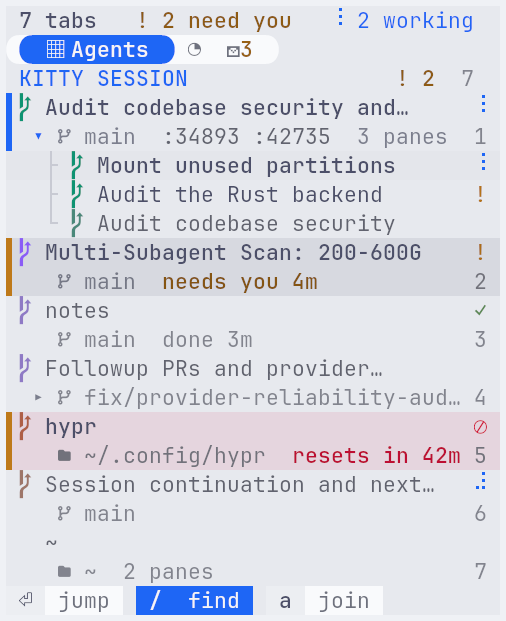
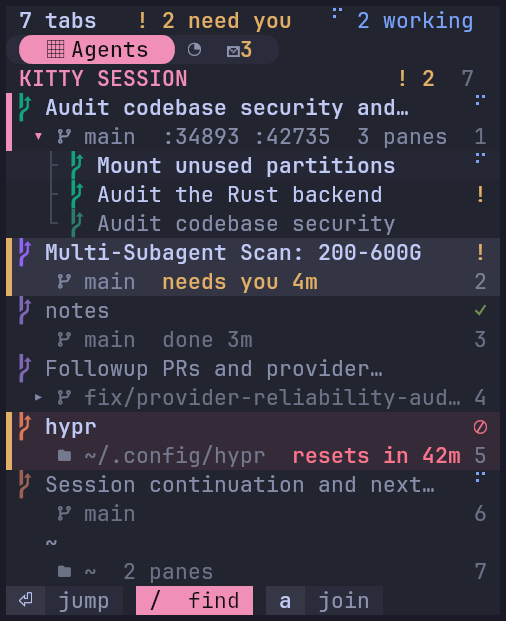
- 19 agents recognised
- Local only: no server, no daemon
- Silence is never “waiting”
- Asks before resuming a conversation
Nine tabs. Which one is waiting?
Run a few agents side by side and the tab strip stops telling you anything. Is it done? Is it stuck? Is it asking you?


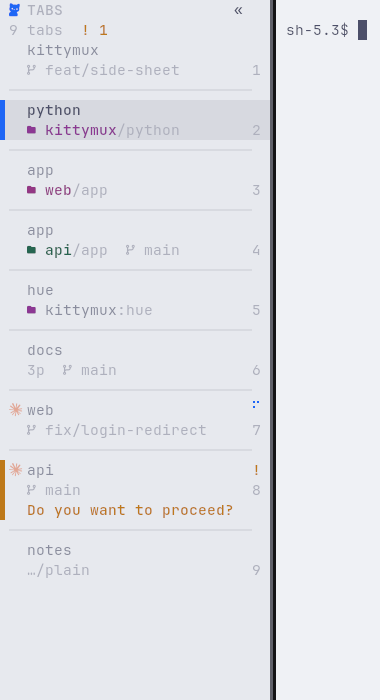
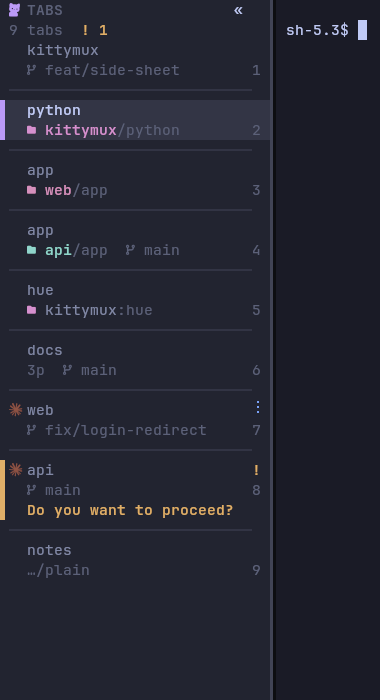
The same kind of tabs, with kittymux
- A stripe and the question
- The tab that needs you is marked, and says what it is asking.
- A project under every name
- Titles are whatever the agent last said. The folder and branch say where it is.
- How long it has waited
- And, for a usage limit, when it lifts.
Three things it does
01
See
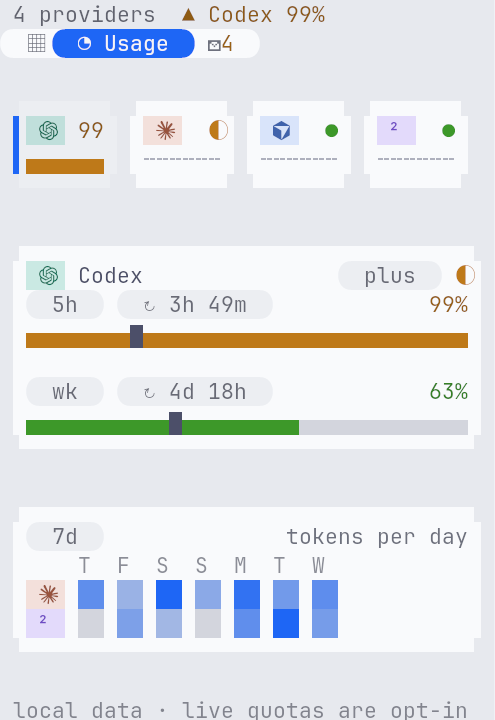
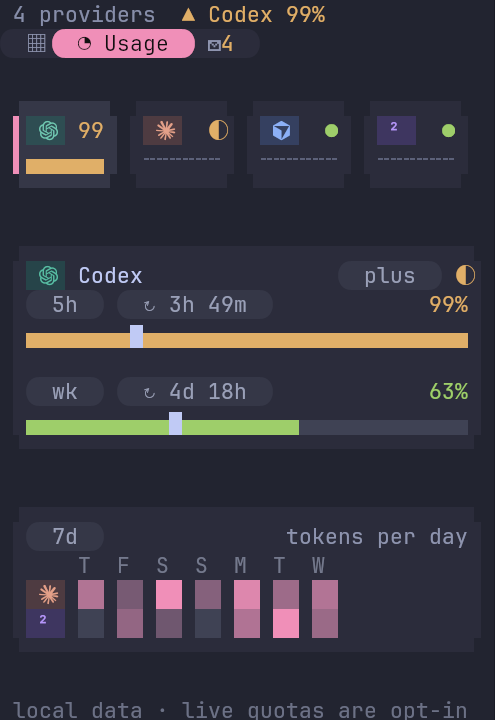
The bar names every tab by its task, marks the one that needs you with a stripe, and says how long it has waited. The usage view shows each provider’s limits, a notch where an even pace would be, and when each window resets.
02
Act
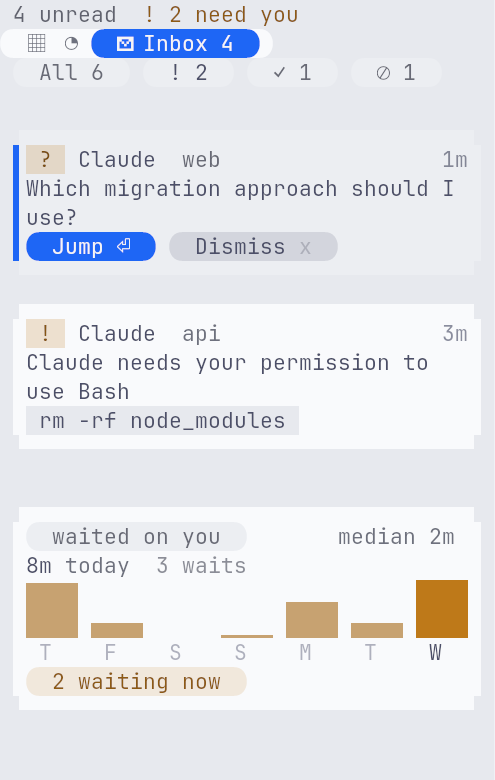
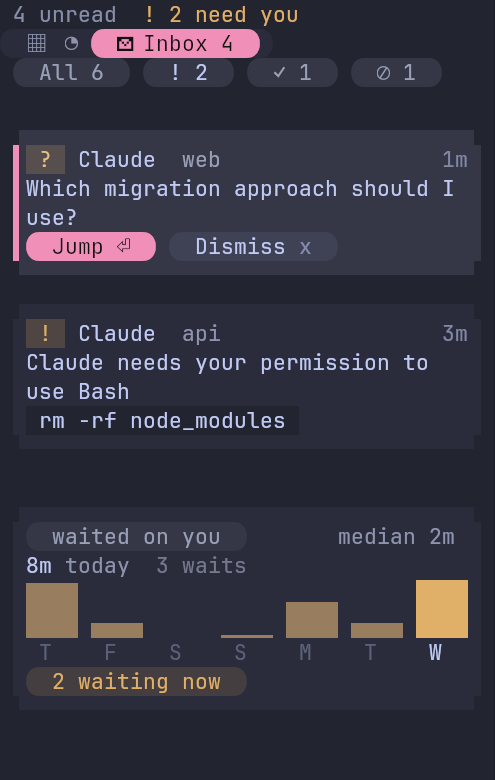
The inbox collects every question, permission request, limit and finished run as a card with Jump and Dismiss. A command palette finds a tab, an agent or an action by typing. Jump moves focus to the pane that is asking; it never types into it.
03
Come back
Save a workspace and restore it later. Each agent window asks whether to resume its own conversation. It asks first; it never resumes by itself.
kittymux sessions save
kittymux sessions restore
kittymux sessions history
How it knows, and why you can trust it
kittymux reads the bottom of each agent’s screen twice a second and combines it with the agent’s own hooks. A state needs evidence. A quiet screen is never “waiting”, and an interrupted turn is never “finished”.
| Shown as | State | Meaning |
|---|---|---|
| ⊘ | limited | A usage limit or quota is exhausted. Nothing happens until it resets, and the tab says when. |
| ! | waiting | It is asking you something: a permission prompt or a question. |
| ⠋ | working | It is busy. The spinner turns. |
| ✓ | done | It finished while you were elsewhere. It clears when you look. |
| — | idle | An agent is running and not doing anything. |
| • | unread | Output arrived in a tab that has no agent. |
Try it, then install it
Look first with the demo, which opens its own window and touches nothing of yours. Or, if you already know, install in one line.
Already sure? One line.
git clone https://github.com/KitsuneKode/kittymux ~/kittymux && ~/kittymux/install.sh- 1
Look first
Opens its own window with made-up agents. Nothing of yours is read or changed.
git clone https://github.com/KitsuneKode/kittymux ~/kittymux && ~/kittymux/bin/kittymux demo - 2
Install
Checks its dependencies, backs up kitty.conf and adds a few include lines. It never overwrites a key of yours.
~/kittymux/install.sh - 3
Check
Lists anything that is off, and how to fix it.
kittymux doctor
The keys you will use
All keys- ctrl+alt+b
- Open the sidebar deck: hover a tab to preview it, click to jump.
- ctrl+alt+shift+b
- Dock the panel at the screen edge so it is always in view (Wayland).
- ctrl+alt+shift+space
- Open the command palette: find a tab, an agent or an action by typing.
- ctrl+alt+y
- Jump to the next agent waiting on you, longest wait first.
- ctrl+alt+e
- Number every pane on screen, then press a digit to focus it.
- ctrl+alt+1…9
- Focus pane 1 to 9 of this tab.
- alt+1…9
- Jump to tab 1 to 9.
- alt+shift+h
- Make the pane narrower by 3 columns. alt+shift+l makes it wider.
- ctrl+alt+shift+q
- Take a quick look at the agent that has waited longest, without leaving this tab.
- ctrl+alt+v
- Pick from one list: what needs you, every agent, closed conversations or a new agent.
- ctrl+alt+shift+o
- Start spawn mode, then press c for Claude, x for Codex or d for Devin to open it in a new tab.
- ctrl+alt+/
- Show every key, searchable, without leaving kitty.
What it is not, yet
- Where it has run
- Tested on kitty 0.49.1 and 0.49.2, on Arch Linux with Hyprland (Wayland). That is the author’s daily setup, including the docked panel.
- Not verified
- macOS (agent detection reads /proc, which is Linux-only), kitty 0.48 and other compositors for the docked panel. Windows is not supported: kitty has no Windows build.
- What it never does
- It sends nothing off your machine and runs no server or always-on daemon. Live usage quotas are opt-in. Notifications and the inbox never type into an agent.
The full list, with what each agent CLI has been checked against, is on Platforms and compatibility.
Questions people ask first
Does it send my data anywhere?
No. There is no server, no network listener and no always-on daemon. It reads pane text and agent state locally and never transmits it. Live usage quotas are opt-in.
Will it type into my agents?
Notifications, the inbox and the panel never do: Jump moves focus, Dismiss hides a card. Only a key you press for it sends text, such as the one that sends a prompt to an agent pane.
Which agents does it recognise?
19 agent CLIs are in its table. Claude Code, Codex and Devin have been checked against live sessions. Some others follow each tool's documented hints, and a few get only their logo and what their hooks or window title report. The platforms page says which is which.
Do I have to leave tmux?
No. tmux stays for remote work. kittymux is for the terminal in front of you.
Does it need Wayland?
Only the docked panel does (it needs wlr-layer-shell). The tab bar, the scanner and the deck were tested on X11 in a virtual display.
Keep kittymux going
kittymux is free and MIT-licensed. It is built and tested on one person’s daily setup, so every star, sponsor and bug report decides what gets fixed next.
Stop hunting through tabs.
Run the demo first. It opens its own window and leaves your setup alone.