
The client
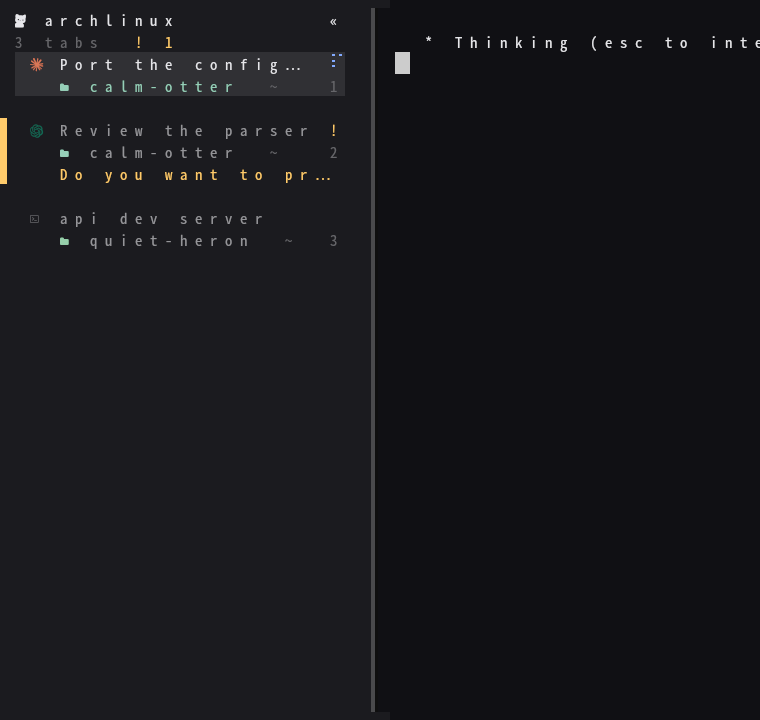
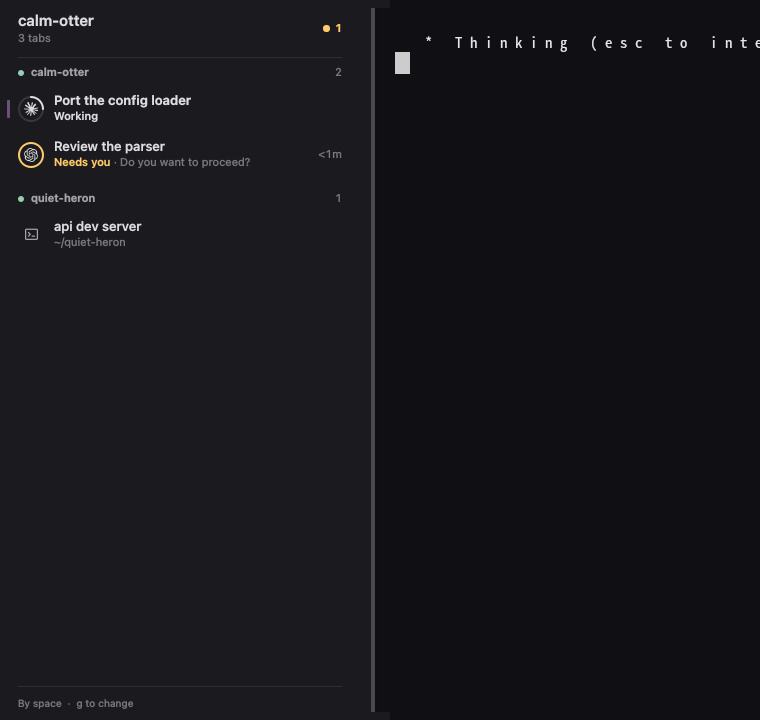
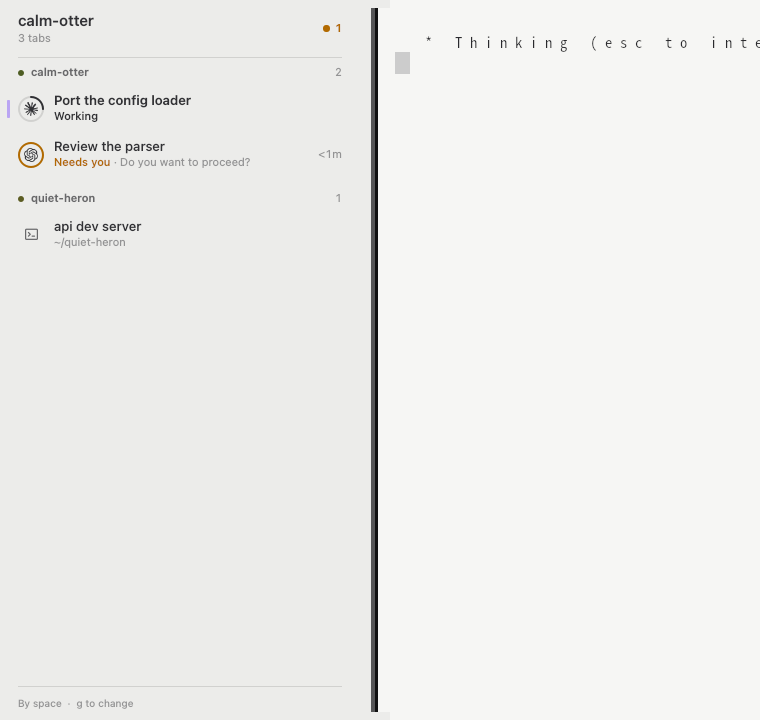
kitty's sidebar drawn as a real interface: in the window's own bar on Hyprland, with calm state rings, a gliding hover and an inline menu.
kitty draws its tab bar in terminal cells. The kittymux client draws that sidebar as a real interface instead, with proportional type, rings and smooth motion. It is a small Quickshell program. kitty stays your terminal and does not change; the client only reads what kittymux publishes and acts when you click.
By default it docks to the edge of the screen. On Hyprland it can also sit in each kitty window's own vertical bar (attach mode, experimental): kitty keeps the bar's place, background, blur and divider and stops drawing tabs there, and the client draws the content on top.
Attach mode is experimental
A separate surface has to work out where kitty is and at what scale. On a desktop with fractional scaling it has landed beside the bar instead of on it, with its text smaller than kitty's. Turn it on with KITTYMUX_CLIENT_MODE=attach only to try it; kitty's own bar is the way to use kittymux inside the window.
Start it
kittymux client # toggles it; also: start, stop, statusIt needs Quickshell and a Wayland compositor with layer-shell. Your kitty needs its bar on the left or right (kittymux layout edge left) for the client to sit in it.
| Mode | Where | When |
|---|---|---|
| dock | a column on the screen's edge, beside your windows | the default |
| attach | in each kitty window's own vertical bar | Hyprland, experimental: KITTYMUX_CLIENT_MODE=attach |
In dock mode, KITTYMUX_CLIENT_EDGE=right and KITTYMUX_CLIENT_WIDTH=340 change where and how wide. Bind kittymux client in your window manager to toggle it from any app.
How attach follows the window
kitty knows where its bar is; Hyprland knows where the window is. The client asks Hyprland again whenever it says something changed and whenever kitty reports a resize. While Hyprland moves windows (a workspace switch, a new window, fullscreen) the client fades out and comes back where the window lands, so it never trails behind the animation. It stays hidden while the bar is not what you see: another workspace, a fullscreen window, or a floating window across the bar. When the client stops, kitty draws its own tabs again within a second or two.
What it shows
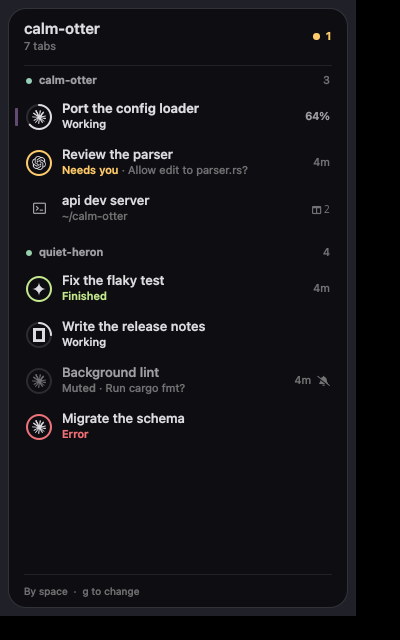
- The header names where you are first: the project of the tab you are in, its branch and how many tabs are open. An orange count on the right says how many tabs need you, and is gone when none do.
- Each tab is two lines: its title (heavier for the tab you are in), then its state in words and what it is about: the question it asks, where it runs, how long it has waited. One soft accent mark on the edge says where you are, and glides to the tab you switch to.
- The ring around an agent's mark carries the state at a glance. Working is a quarter arc that steps a quarter turn every 3 seconds, or fills to the percent when the program reports one. Needs you is orange and pulses once when it starts asking. Finished is green and error is red. Idle tabs have no ring.
- A muted agent is drawn faint, says Muted and shows a bell-slash. It never counts in the orange number.
Colour is only for state: the accent marks where you are, orange means it needs you, green finished, red error. All of them come from your kitty theme.
Use it
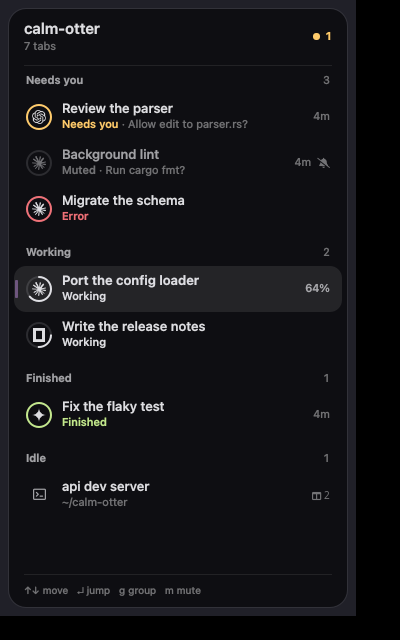
| To | Mouse | Keyboard (click the client first) |
|---|---|---|
| Go to a tab | Click it | up down or j k, then enter |
| Group by state, or back by space | g | |
| Mute or unmute an agent | Right-click, then Mute | m |
| Close the menu, clear the selection | Click elsewhere | esc |
The client takes the keyboard only when you click it, and gives it back when you click elsewhere. g is the same choice as g in the docked panel: change it in one and the other follows.
The glass
In attach mode the client has no background of its own: the glass is your kitty window's. Give kitty a translucent background and let the compositor blur it, and the sidebar is frosted along with the panes.
# kitty.conf
background_opacity 0.85
Tell Hyprland not to animate the client's layer: the client fades itself in and out as windows move, and a second animation on top looks like lag. In hyprland.conf:
layerrule = noanim, kittymux-clientThe docked mode draws its own glass, so there give its layer the blur as well:
layerrule = blur, kittymux-client
layerrule = ignorezero, kittymux-client
Light themes and motion
On a light kitty theme the client turns light too.
Motion follows kittymux's rules. Switch motion off (kittymux features) and the working ring holds still; set KITTYMUX_REDUCE_MOTION=1 and the glides and pulses go as well, leaving only fades.
What it costs
At rest it uses no CPU. With an agent working it uses about half a percent, measured under Xvfb with Qt's software renderer, which repaints only what changed. That is the default. Set KITTYMUX_CLIENT_GPU=1 to draw with OpenGL instead. Memory is that of a small Qt program.
Limits
- Attach mode needs Hyprland, and a bar on the left or right. A window you drag by hand is followed when you let go, not during the drag.
- The client is a separate surface laid over the bar, so a screenshot tool that captures one window sees kitty's blank bar.
- It needs Wayland with layer-shell. On X11, keep using the tab bar and the panel.
- Pane title bars inside kitty are still drawn by kitty.
Peek, deck and panel
Look at a tab you are not in without switching to it: a right-click peek card, the sidebar deck and the always-visible docked panel.
Agent status
The six states an agent can be in, how kittymux decides each from the screen and hooks, why a quiet screen never means waiting, and how to ask why.